


A UNFI payment lands in your bank account $270 short. The remittance PDF lists three invoice numbers and no reason code. Somewhere in that file is a promotional deduction, maybe a compliance chargeback. Your accounts receivable (AR) specialist has to sort it out before anything posts to the general ledger (GL).
That's the real challenge of consumer packaged goods (CPG) cash application, and it's why automation of cash application works differently here than in standard B2B accounts receivable. Distributors bundle trade deductions into payments without structured data attached. Generic AR tools aren't built for that.
Platforms designed for clean invoice matching leave that deduction work unresolved. Open deductions grow into margin loss your team never recovers. A CPG-specific process catches the patterns, classifies the deductions, and produces GL-ready output without your team touching every line.
Main Takeaways
- CPG cash application requires separating, classifying, and matching trade deductions before anything can post to the general ledger. Standard B2B tools skip this step entirely.
- Distributor remittance data arrives unstructured. UNFI and KeHE use portal PDFs, and Kroger uses check-stub advice messages and portal debit memos, each in a different format that generic matching engines can't parse without optical character recognition (OCR) extraction.
- Manual processing runs 20 to 30 minutes per payment. Automation applies clean payments in seconds and routes only the exceptions that need judgment to your team.
- Five KPIs tell you whether your cash application process is working before month-end exposes the gaps: straight-through processing (STP) rate, exception rate, time-to-apply, unapplied cash aging, and days sales outstanding (DSO).
- CPG-specific tools go live in weeks because distributor connections are prebuilt. Enterprise platforms typically need three to six months of scoping, integration, and rule setup first.
Why Cash Application Is Different for CPG Brands
Cash application is the accounts receivable function of matching incoming payments to the correct open invoices and posting the results to your general ledger. For CPG brands selling through distributors, this function is more complex than standard B2B cash application. Every payment carries trade deductions that must be separated, classified, and matched to the right contract before anything can post.
Where Cash Application Sits in the Order-to-Cash Cycle
Cash application sits between payment receipt and GL posting in the order-to-cash cycle. It happens after your team has invoiced the distributor and after the payment has cleared. In a standard B2B operation, a payment usually maps to one or more invoices with structured remittance data attached. The matching step is simple: line up the payment amount, confirm the invoice number, post the entry.
Why CPG Payments Are Different in Structure
Payments from distributors like UNFI, KeHE, and Kroger arrive bundled with trade deductions. Promotional allowances, compliance chargebacks, and spoilage claims are all embedded in the same payment. The remittance details that explain those deductions arrive as PDF backup files, portal downloads, or check-stub advice messages. They don't come as structured electronic data interchange (EDI).
A 2024 Federal Reserve pilot confirmed this is an industry-wide pattern. Remittance data is often delivered separately from the payment itself, through channels like email and portals, according to FedPayments Improvement.
That gap means matching a single payment requires connecting it to both the right invoice and the right promotional contract or deduction type. Standard B2B cash application never faces that step. If your payments arrive cleanly mapped to invoices, generic tools work fine. If they arrive from distributors with deductions bundled in and remittance buried in PDFs, you need a process built for that.
The Cash Application Process: 8 Steps from Payment Receipt to GL Posting

The cash application process follows eight steps. It starts when a distributor payment arrives and ends when the entry posts to your general ledger. Each step carries deduction-handling work that generic process guides skip.
Here is the full workflow, written for a CPG operation:
- Payment receipt. A bank notice or lockbox file arrives confirming the distributor's payment has cleared. In CPG, this amount is almost always less than the invoice total because deductions have already been taken.
- Remittance capture. Download or extract the remittance PDF or portal data from the distributor. This is where CPG splits from standard B2B. Your remittance lives in a UNFI portal, a KeHE PDF attachment, or a Kroger debit memo, not a structured bank file.
- Data normalization. Convert unstructured PDF data into line-level detail: invoice numbers, amounts, deduction codes. This step is where PDF extraction and OCR matter most. Every distributor uses a different format.
- Invoice matching. Match each remittance line to the right open invoice in your enterprise resource planning (ERP) or accounting system. In CPG, a single remittance line may reference multiple invoices or split one invoice across several deduction types.
- Deduction identification. Separate trade deductions from the net payment amount: promotional allowances, chargebacks, compliance fees. Standard B2B cash application skips this step entirely because standard B2B payments don't carry embedded deductions.
- Exception routing. Flag unmatched lines, partial payments, or unknown deduction codes for manual review. In CPG, exceptions often involve new distributor programs or promotional short-pays with no matching contract on file.
- Cash posting. Apply the matched payment and deduction entries to the correct GL accounts. CPG brands need each deduction coded by type (promotional, compliance, spoilage) so the GL reflects what actually happened.
- Reconciliation and close. Confirm the bank deposit matches total applied amounts. Resolve remaining exceptions before period close. Open items here become the unapplied cash that erodes your close confidence.
These eight steps happen whether you do them manually or automate them. The difference is where your team's time goes. Are they navigating PDFs and spreadsheets for every payment? Or reviewing only the exceptions that need human judgment?
Why CPG Cash Application Breaks Generic Automation
Generic cash application tools assume payments map cleanly to invoices. CPG payments don't. They arrive from distributor portals bundled with trade deductions, promotional short-pays, and compliance chargebacks. All of it is embedded in unstructured remittance files that no standard matching engine can parse.
Distributor Remittances: No Two Look Alike
UNFI, KeHE, and Kroger each explain deductions differently. UNFI and KeHE deliver remittance backup as portal PDFs. Kroger explains invoice discrepancies through advice messages on check stubs or, on its modernized platform, as separate debit memos on the Lavante portal, each prefixed DMQ or DMC ahead of your original invoice number, per Kroger's supplier policies. Column layouts differ. Deduction codes differ. Line-item structures differ. There is no industry standard for how a distributor explains what it deducted and why.
A tool built for structured EDI or bank-file remittance can't read these documents without OCR extraction and format-specific parsing logic. Most generic platforms don't have either.
Trade Deductions Bundled into Payments
A single distributor payment may include net invoice amounts minus promotional deductions, compliance chargebacks, and spoilage claims on the same remittance. Your accounting team must separate each deduction type, match it to the right invoice or promotional contract, and code it to the correct GL account. This is a classification problem, not a matching problem. It's the step where generic automation falls short.
Kroger's vendor compliance program shows how concrete these deductions get. Kroger's supplier policies set a 3% fee on purchase orders that arrive after the requested date and a separate 3% fee when case fill falls below 95%, both assessed via invoice deductions. Your team has to identify those fees and separate them from the promotional deductions on the same remittance. Then they code each one correctly. Every distributor runs a version of this program, and every program uses different codes.
Worked Example: A UNFI Payment with a $270 Short-Pay
UNFI sends a payment for $4,730 against an invoice of $5,000. The remittance PDF shows a $270 short-pay. Inside the PDF are two deduction lines: a $180 promotional allowance tied to an expired trade deal and a $90 compliance chargeback for a late shipment.
Here's what happens manually. Your AR specialist downloads the PDF, opens the ERP, and cross-checks the promotional calendar in a spreadsheet to verify the $180 allowance. Then they log into the distributor portal to look up the chargeback code for the $90 compliance fee. They create two deduction entries by hand, code each to the right GL account, and post the net payment. Total time: 20 to 30 minutes for one payment.
Here's what automation does with the same payment. Software extracts the PDF and parses the line items. It matches the $180 to the promotional contract and flags the $90 chargeback for review. Then it posts the net payment with both deductions classified and coded. Total time: under a minute. Your team only touches the chargeback if it needs to be disputed.
The complexity here has nothing to do with the payment amount. It's the number of decisions your team has to make per payment. When every payment carries two or three deduction types, manual processing doesn't scale. The backlog grows into month-end.
Manual vs. Automated Cash Application: What Changes
The gap between manual and automated cash application shows up across six areas. For CPG brands, the most critical area is how each approach handles distributor deductions. That's where margin loss grows.
The table below compares manual and automated cash application across the six areas that matter most to a CPG accounting team. If your team sees itself in the "Manual" column, the business case section that follows will measure what that gap is costing you.
The cost row deserves a closer look. At 25 minutes per payment and 60 payments per week, your team spends roughly 1,300 hours a year on cash application. At a fully loaded rate of $25 per hour, that's about $32,500 in direct labor.
That figure excludes the cost of errors, delayed close, and deductions that never get disputed because nobody had time to review them. Those hidden costs push the real number well beyond the labor line. And the problem is widespread: in a January 2026 survey of 211 companies by BILL and Treasury Webinars, 70% reported straight-through processing rates of 50% or lower.
The Business Case for Cash Application Automation
Automating cash application delivers four measurable outcomes for CPG brands: higher straight-through processing rates, faster visibility into deduction status, reduced unapplied cash, and freed AR staff time. Each one builds toward margin recovery and close confidence.
Straight-Through Processing and Freed Capacity
Among users of the cash application platforms The Hackett Group assessed in 2025, the median auto-match rate is 70%, and 26% of users exceed 80%. For teams starting below a 40% match rate, the same study found automation lets them reallocate 63% of receivables staff and cut process costs by 43% across cash application, collections, and dispute management.
For a CPG brand, a higher match rate means your AR team stops spending time on payments that match cleanly. They focus instead on exceptions that need judgment: promotional deductions, disputed chargebacks, short-pays with no reason code. That shift in capacity is where the ROI shows up first.
Cash Flow and Deduction Visibility
Accounts receivable represents $600 billion in excess working capital among the 1,000 largest U.S. public companies, driven by an 18-day days sales outstanding (DSO) gap between top-quartile and median performers, according to The Hackett Group's 2025 Working Capital Survey. The dollar figure is an enterprise number, but the gap is the point: it's the difference between teams that apply cash the day it lands and teams that don't.
Finance teams already know where the problem sits. In the January 2026 BILL and Treasury Webinars survey, 93% of companies said cash application efficiency is a priority this year. Deductions, disputes, and exceptions were the most cited challenge (58%) and the area where respondents expect technology to make the biggest difference (33%). For CPG brands, that's the whole job.
The business case is concrete. It's the difference between catching a disputed deduction in week one and writing it off at month-end because nobody had time to look at it. Kroger, for one, only researches billing inquiries 60 to 180 days past the original invoice date. A deduction that sits unreviewed can age out of its recovery window before anyone reads the debit memo.
5 Cash Application KPIs: What to Measure and What Good Looks Like
Five KPIs tell you whether your cash application process is working. Each one carries specific meaning in a CPG operation where distributor deductions are part of every payment.
- Match Rate / Straight-Through Processing (STP) Rate. Percentage of payments applied without manual work. Benchmark: 70% median, with 26% of assessed users above 80%, per The Hackett Group; 90%+ is the ceiling vendors advertise. CPG context: STP drops when payments carry multiple deduction types that require classification.
- Exception Rate. Percentage of payments routed to manual review. Benchmark: the inverse of your match rate; about a quarter of assessed users hold it under 20%. CPG context: common exceptions include unknown deduction codes from new distributor programs and promotional short-pays with no matching contract.
- Time-to-Apply. Elapsed time from payment receipt to GL posting, including exception handling. Benchmark: under 30 minutes; only 30% of companies currently achieve this, per BILL's 2026 survey. CPG context: time-to-apply spikes around promotional periods when deduction volume surges.
- Unapplied Cash Aging. Dollar value and age of payments received but not yet matched to invoices. Benchmark: zero unapplied cash older than 48 hours. CPG context: unapplied cash often hides unprocessed deductions that erode margin if not sorted before close.
- Days Sales Outstanding (DSO). Average number of days to collect payment after invoicing. Benchmark: top performers maintain an 18-day advantage over median. CPG context: DSO in a distributor model reflects payment terms and deduction processing speed, not just collection effort.
These five metrics give your CFO or Controller a dashboard view of cash application health. If you're tracking fewer than three today, you're managing the process by feel. You're missing the deduction patterns that cost you margin.
Best Practices for Managing Cash Application in a CPG Operation

Four practices separate CPG brands that control their cash application process from those that scramble at month-end:
- Standardizing remittance intake
- Building exception workflows with CPG-specific routing
- Tracking KPIs weekly
- Connecting AR systems to your accounting software
Standardize Remittance Intake Across Distributors
The first practice is getting rid of the inbox-mining step. Standardized intake means a single point of entry for all distributor remittance data. That's true whether it arrives as a UNFI PDF, a KeHE portal download, or a Kroger debit memo pulled from Lavante.
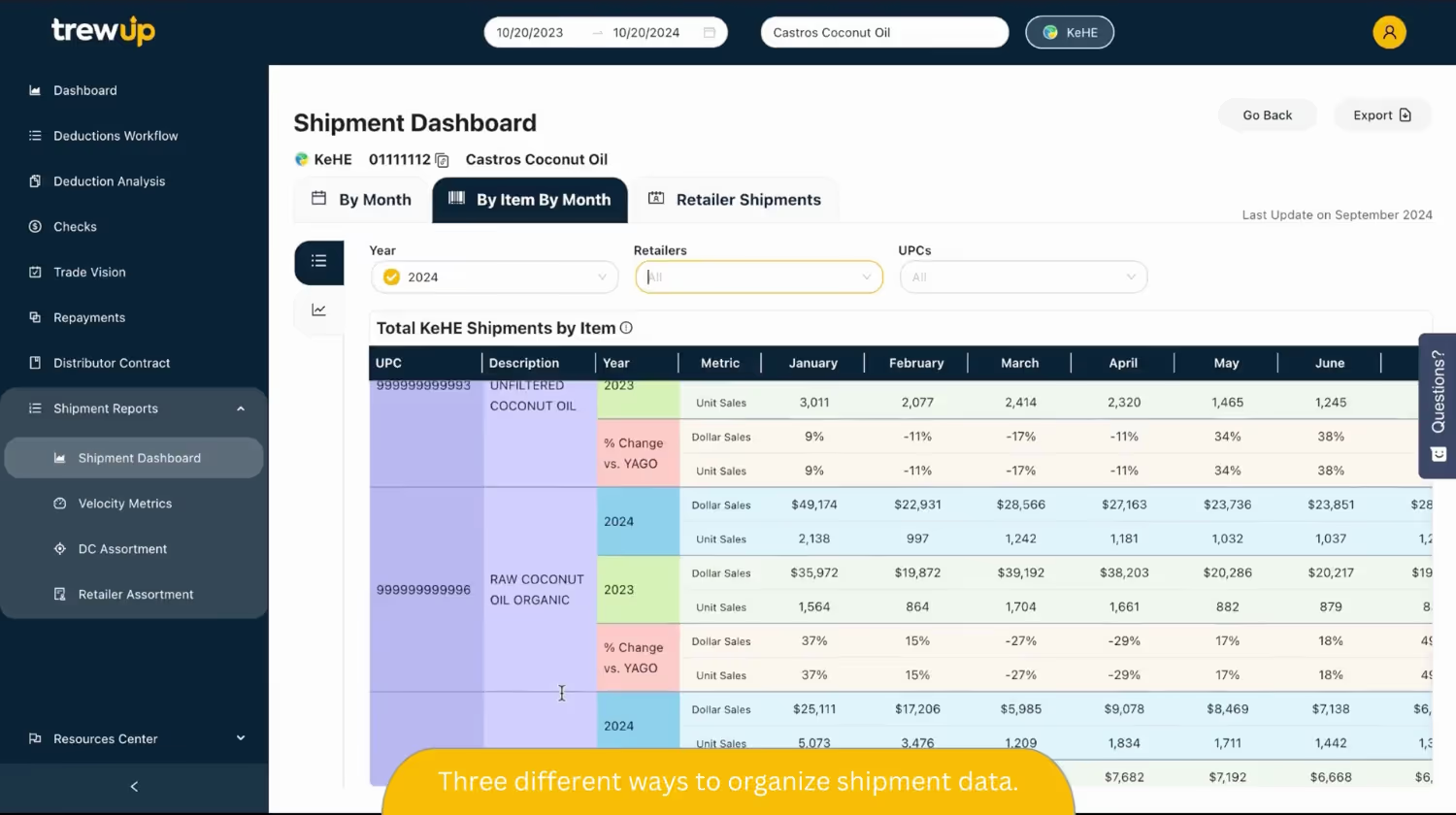
When your team starts every payment by hunting through email attachments and distributor portals, the process breaks before it begins. Automation tools with prebuilt distributor connections handle this on their own. Platforms built for CPG, like TrewUp, connect directly to UNFI, KeHE, and Kroger portals. They extract remittance data without manual entry.
Build Exception Handling Workflows with a CPG Deduction Taxonomy
"Exceptions get flagged" is not a workflow. A well-designed exception handling process defines what types of exceptions exist, who owns each type, and what the escalation path looks like when resolution stalls.
CPG operations produce four distinct exception categories. Promotional deductions are tied to a trade deal and should route to trade or sales ops for contract validation. Compliance chargebacks are tied to a distributor program and should route to supply chain or logistics. Short-pays with no reason code need AR investigation. Spoilage or damage claims route to operations.
Automation classifies the exception type based on the deduction code and remittance line. It then assigns it to the right team with the supporting documents attached. No email chains. No spreadsheet handoffs. Each team reviews only what falls in their domain, with the backup they need to act.
Track KPIs Weekly
KPI tracking is only useful if it happens before month-end. Weekly reviews of match rate, exception rate, and unapplied cash aging surface problems while there's still time to act. By the time you discover a pattern during close, some of those recovery windows have already started closing. Kroger's 180-day inquiry deadline runs from the original invoice date, not from the day your team finds the deduction.
Integrate with Your Accounting System
GL-ready data from your deduction platform should be ready to bring into your accounting software (QuickBooks, NetSuite, and others) without re-keying. For mid-market CPG brands, NetSuite is a common ERP where this matters most. Clean, GL-ready data cuts out the manual re-keying that slows every close.
How to Choose Cash Application Software for a CPG Brand

Cash application software falls into three categories: native ERP modules, standalone AI platforms, and CPG-specific tools. Each handles invoice matching differently. The right choice depends on whether the tool can read distributor remittance formats, classify trade deductions, and go live without a six-month implementation.
Three Tool Categories
- Native ERP modules (e.g., NetSuite SuiteApps, SAP add-ons). These are built into your existing system. They handle standard invoice matching but usually lack OCR extraction for distributor PDFs. They have no deduction classification logic. If your payments arrive with structured remittance data, these work. If they arrive from UNFI with a PDF backup, they don't.
- Standalone AI platforms. These are enterprise receivables suites with ML-driven matching engines. They're designed for enterprise-scale B2B AR and often require months of implementation. They don't include prebuilt distributor connections for CPG. The matching is sophisticated; the fit for mid-market CPG operations is limited.
- CPG-specific tools (e.g., TrewUp). These are purpose-built for the distributor payment model. They include prebuilt integrations with UNFI, KeHE, and Kroger, plus AI-driven PDF extraction, deduction classification, and GL-ready output. The trade-off is narrower scope. The advantage is that the tool already speaks your distributors' language on day one.
CPG Evaluation Criteria
When evaluating any cash application solution for a CPG operation, seven criteria separate tools that fit from tools that don't:
- Distributor connectivity. Does the tool connect to UNFI, KeHE, and Kroger portals natively?
- Deduction handling. Can it automatically classify promotional deductions, compliance chargebacks, and short-pays and route exceptions to your team?
- Remittance format support. Does it handle PDF, EDI, and portal formats without manual prep?
- ERP integration depth. Does it deliver GL-ready data to your accounting system (QuickBooks, NetSuite, and others) without re-keying?
- Implementation timeline. Can you go live in weeks, not months?
- Total cost and contract terms. Is pricing clear up front? How long is the commitment? Does changing a matching rule require a consultant?
- Data security. Distributor portal credentials and remittance files pass through the tool. Ask what certifications the vendor holds and how portal access is stored.
One test beats all seven criteria. Ask the vendor to walk through a UNFI or KeHE remittance like yours, not a generic sample file. If it can't handle your format, the rest of the feature list doesn't matter.
Implementation: How Long Does Cash Application Automation Take to Go Live?
Implementation timelines range from two weeks to six months. The biggest variable is the tool category. Some platforms need heavy ERP work. Others come with prebuilt distributor connections.
Enterprise AI platforms usually take three to six months. That time goes to scoping, ERP integration, custom rules, and testing. CPG-specific platforms with prebuilt distributor connections can go live in as little as two weeks. The integration work is already done. No ERP migration or trade promotion management (TPM) system is required.
Before you start, you need three things:
- Access to your distributor portals (UNFI, KeHE, Kroger)
- Your current chart of accounts or GL mapping
- A sample set of recent remittance PDFs for validation
You don't need an ERP overhaul, a TPM system, or a dedicated IT team. TrewUp goes from remittance PDF to GL-ready output in two weeks, with no ERP or TPM requirement. Use that as a benchmark when you talk to vendors.
Budget is rarely the blocker. In a January 2026 survey by BILL, 93% of companies said cash application efficiency is a priority this year. The real question is whether your team is ready, not whether the budget is.
Start Managing Cash Application with Confidence, with TrewUp

You now have a framework for choosing cash application software that fits CPG distributor payments. You can measure results with the right KPIs. And you can go live without a six-month implementation.
All of it comes back to the deduction work your accounting team already does every week: promotional allowances, compliance chargebacks, and short-pays buried in PDF remittance files.
We built TrewUp to close the CPG-specific gap that generic AR platforms ignore. UNFI and KeHE remittance PDFs and Kroger debit memos arrive as structured, GL-ready data your team can bring into its accounting system. No manual extraction. Every deduction is automatically classified by type, with backup attached. Your team reviews only what needs judgment.
Clean cash application is also the front end of trade spend visibility. Every deduction you classify at posting becomes a trade spend actual. It ties to a retailer, a promotion, and an item. That's the data post-promotion analysis and smarter planning run on. Sales can't judge whether a promotion earned its spend until Finance has applied the payment and coded what came out of it.